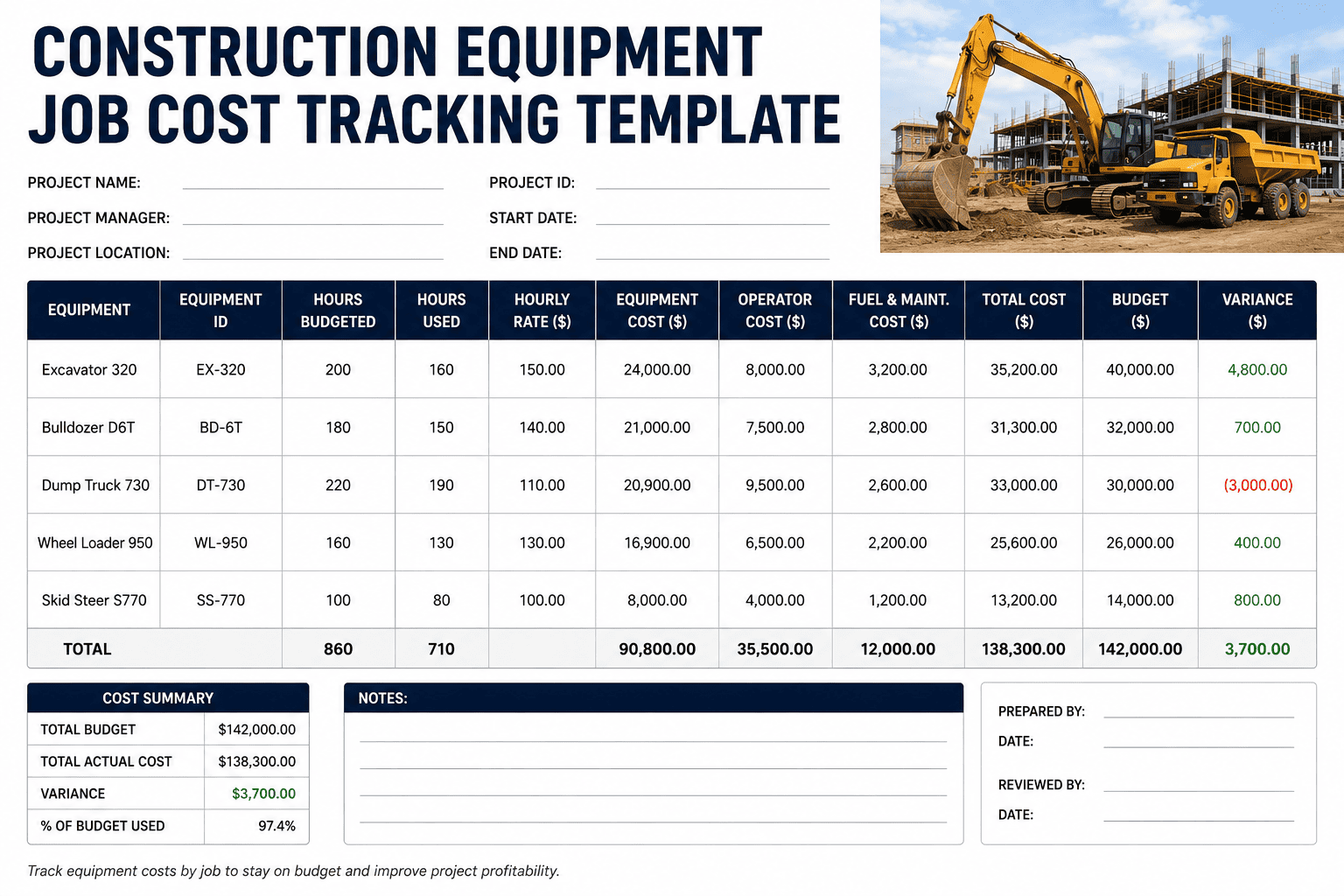
Ask a project manager what the excavator cost on last month's foundation phase, and most will give you a shrug and a rough guess. The fuel card charges to one account. The maintenance invoice lands in a general equipment ledger. The hours the machine actually spent on Site A versus Site B never get separated at all. By the time the numbers reach accounting, the true cost of that equipment has already been folded into overhead, and the project that actually drove the expense never gets charged for it. Job cost tracking only works when equipment is coded with the same discipline as labor and materials, down to the project and the phase.
A construction equipment job cost tracking template assigns every hour, fuel purchase, and repair to a specific project, phase, and cost code, typically structured as Cost Type plus Division or Phase plus Project ID, for example EQP-03-P014 for equipment cost on the concrete phase of Project 014. Most contractors build 15 to 40 cost codes covering labor, materials, equipment, and subcontractors, either using CSI MasterFormat divisions or a simplified phase-based system. FleetRabbit automatically tags engine hours and location data to the correct cost code as machines move between sites, so equipment cost lands on the project that actually earned it.
Anatomy of a Job Cost Code
A cost code is only useful if it answers three questions at a glance: what type of cost is this, what phase of work does it belong to, and which project generated it. Break any working cost code down and you will find the same three segments, in this order.
This is the same three-part structure behind CSI MasterFormat and most custom contractor systems, just applied specifically to equipment. The goal is not complexity. Most contractors get full visibility from 15 to 40 codes total. The goal is that "03-210-EQP" means the exact same thing to the field crew, the shop, and the accounting office every single time.
What Belongs in Every Equipment Job Cost Line
Equipment is the hardest category to allocate accurately because a single machine can move between two or three job sites in one day, while its fuel card, maintenance invoice, and depreciation schedule keep tracking it as one asset instead of hours spent on specific work. Capture these five inputs against every project and phase, and the allocation gap closes.
Engine Hours by Site
The foundation of accurate equipment costing. Hours must be split by location and timestamp when a machine works more than one site in a shift, not assigned entirely to whichever job it started on.
Fuel Consumption
Fuel card charges tagged to the project active at the time of the fill-up, not lumped into a general fuel account that never reaches the job cost report.
Maintenance and Repairs
Service invoices coded to the project the machine was assigned to when the issue developed, so repeated repair costs on one job surface instead of disappearing into overhead.
Operator Labor
Operator hours tracked alongside machine hours, since equipment cost without its labor cost tells only half the story of what a phase actually cost.
Rental vs Owned Cost
Rental invoices coded the same way as owned-equipment depreciation and operating cost, so a project manager can compare what renting actually cost against what owning would have cost.
FleetRabbit tags engine hours, fuel, and repairs to the correct project and cost code the moment a machine moves between sites, using live GPS and telematics data instead of manual field logs. Sign up free to connect your fleet, or book a demo to see your equipment mapped to your existing cost codes.
Sample Job Cost Tracking Template
Use this layout as your starting worksheet. Each row ties one piece of equipment to one project and phase for a given reporting period, so overruns show up before the phase closes out.
| Project / Phase | Cost Code | Equipment | Hours Logged | Total Cost |
|---|---|---|---|---|
| P014 - Sitework | EQP-02-P014 | D6 Dozer | 86 hrs | $5,300 fuel + $2,700 maint. |
| P014 - Concrete | EQP-03-P014 | Excavator CAT 320 | 54 hrs | $3,100 fuel + $900 rental |
| P019 - Sitework | EQP-02-P019 | Wheel Loader | 40 hrs | $2,150 fuel + $600 maint. |
| P019 - Utilities | EQP-33-P019 | Backhoe Loader | 31 hrs | $1,400 fuel + $350 maint. |
The Multi-Site Allocation Problem
The single biggest source of bad job cost data is a machine that worked two sites in one day but had its entire shift coded to whichever project the foreman remembered to write down. Manual allocation depends on field teams logging hours by project in real time, and delays or wrong code selection are common enough that by the time the data reaches accounting, the job cost report is already stale.
Solving it with location and time data instead of memory
Once engine hours are tracked automatically with GPS and timestamp data, a machine's shift can be split proportionally across every site it actually worked, without a field team member having to remember or reconstruct anything after the fact. This is the difference between a job cost report that is roughly right and one that is defensible in front of an owner or auditor.
FleetRabbit's project-level equipment cost history gives estimators a real basis for future bids instead of a rough company-wide average. Sign up free to start building accurate historical data today, or book a demo to see how your fleet data could sharpen your next estimate.
Frequently Asked Questions
Job costing is only as accurate as its weakest input, and for most contractors that weak point is equipment hours. FleetRabbit closes that gap automatically, so every project and phase carries the equipment cost it actually earned.







