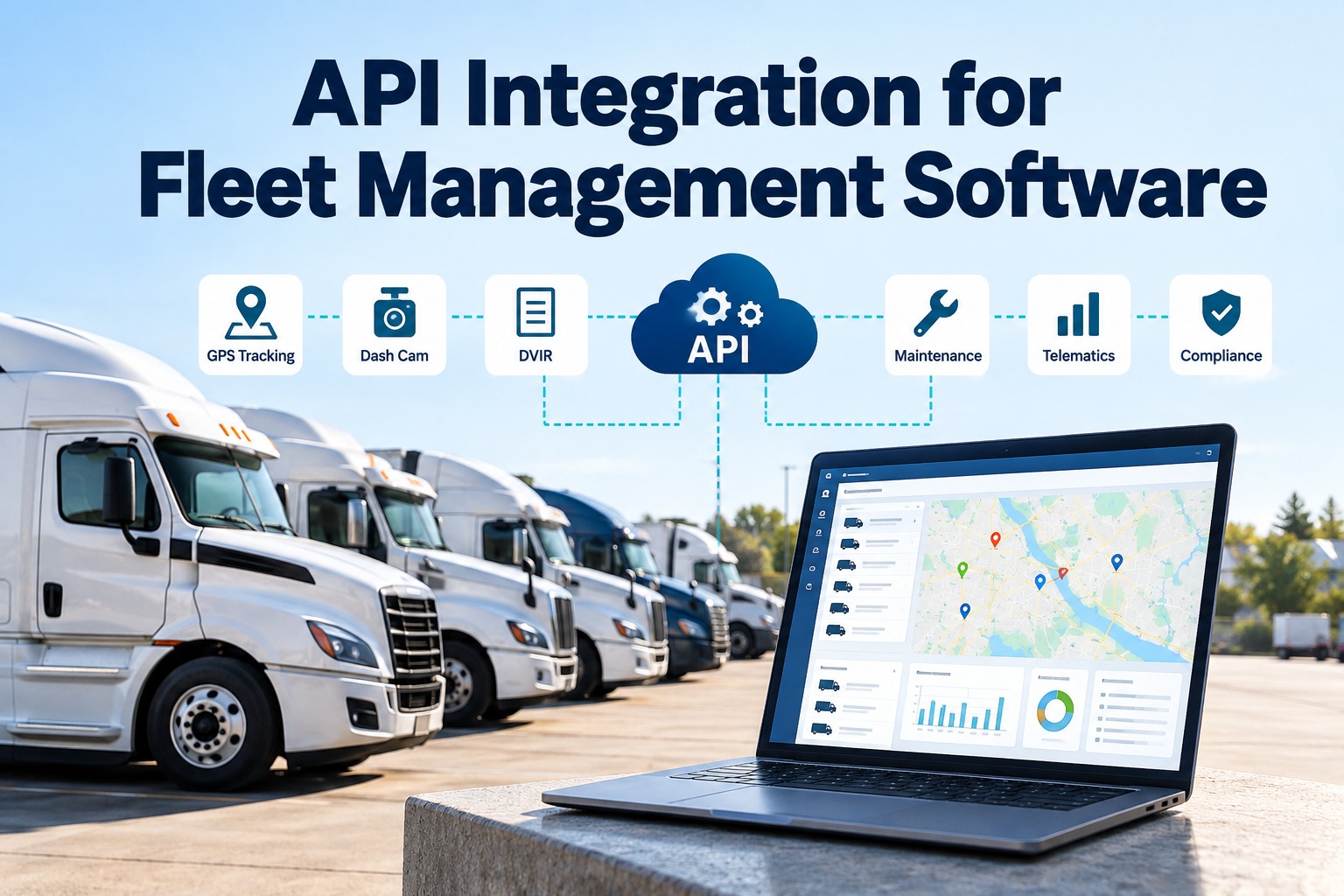
Connecting a fleet management API is the easy part. A competent developer can pull vehicles and faults out of a telematics platform in an afternoon. What breaks six months later is everything around that call: a token that expired quietly, a per-endpoint rate limit that throttles you at 09:00 but not at 03:00, a fault that set and cleared between two polls and therefore never happened, a cursor saved one step too early that skipped a batch permanently, and kilometres landing in a field that expects miles. The vendors publish the numbers you need — Samsara allows 150 API requests per second per access token and 200 per second per organization, with per-endpoint groups as tight as 5 requests per second, and answers a breach with HTTP 429 and a Retry-After header. Geotab scales its limits by tracked assets, from a x1 multiplier under 1,000 assets to x25 above 25,000, raises OverLimitException, and exposes X-Rate-Limit-Remaining so you can slow down before you get thrown. This guide covers ingestion patterns and what each one loses, the cursor rule that decides whether a failure replays or skips, real rate limits side by side, the field-mapping traps, and the failure modes that show up in production. Book a 30-minute demo to see an integration already built, or start free with 3 vehicles.
Getting the First API Call Working Takes an Afternoon. Keeping It Correct Takes a Design.
For fleet ops leaders, IT teams and integration developers: which ingestion pattern loses events, why the order of two lines of code decides whether a failed batch replays or vanishes, and the published rate limits you have to build against.
No credit card required. Connect telematics, ELD and dashcam data to maintenance.
Three Ways to Get the Data, and What Each One Loses
Almost every fleet integration is one of three shapes, and the choice is not a matter of taste — it determines which events your maintenance system will never see. Start with a connected account free on 3 vehicles.
Illustrative timelines, not measured latency. The failure mode on the left is the one that catches fleets out most often: an intermittent fault that sets and clears inside a single polling window leaves no trace at all, and intermittent faults are exactly the ones a driver reports and a shop cannot reproduce. In practice a good integration uses webhooks for latency where the vendor offers them, and a cursor-based feed underneath as the guarantee that nothing was dropped.
The Cursor Rule: Two Lines of Code in the Wrong Order Lose Records Forever
Cursor-based feeds hand you a token marking your position and expect you to keep it. Geotab's guidance on this is unambiguous: the server does not track your position, and it is your responsibility to persist and reuse the version token. Where you save it decides what a crash costs you. We'll walk your architecture through this in a demo.
Per Geotab's Data Feed guidance: save the checkpoint after processing, not before — if the process fails before the checkpoint is saved, the batch can be replayed safely, whereas saving the checkpoint first can skip records permanently when processing fails. The cost of getting this backwards is invisible, because the system keeps running and the gap only shows up when someone asks why a fault never raised a work order.
Reading a Change Feed Without Double-Counting
Not every feed behaves the same way, and the difference decides whether your writes need to be idempotent. This is the distinction that turns one fault into three work orders. Keep every event tied to one unit, free.
- DVIRLog, FaultData, StatusData, LogRecord, DutyStatusLog
- DriverChange, Device, Diagnostic, Trailer, Zone, User
- Once read, a record does not come back
- This is what maintenance triggers should be built on
- Trip, ExceptionEvent, FillUp, FuelUsed, FuelTaxDetail
- ChargeEvent, FuelAndEnergyUsed
- A record you already have can arrive again, changed
- So every write from these has to be idempotent or you double-count
- Use a date only on the very first call to set a starting point
- Converting dates to versions is computationally expensive and should not be repeated on every program restart
- After that, the cursor is the only position you need
- A service that re-anchors by date on each restart is doing the expensive thing every deploy
- A full batch means more data is waiting — call again immediately
- A short batch means you have caught up — wait before the next call
- While idle, lengthen the wait progressively
- Reset to the short interval the moment new data appears
Feed behaviour, the active and calculated data-type lists, the cursor and checkpoint rules and the adaptive polling guidance are per Geotab's MyGeotab Data Feed developer guide.
The Rate Limits You Actually Have to Build Against
Published figures from two of the largest telematics platforms, side by side. The pattern worth noticing is that neither vendor gives you one number to respect — there is always a tighter limit somewhere below the global one. Discuss your data volumes with our team. Swipe the table on mobile.
| Limit | Samsara | Geotab MyGeotab | What it means in practice |
|---|---|---|---|
| Per access token | 150 API requests per second | Not published as a single figure | Samsara publishes a flat per-token ceiling; Geotab scales limits instead |
| Per organization or database | 200 API requests per second | Scales by tracked assets, x1 to x25 | Geotab tiers: 0–1,000 assets x1, 1,001–10,000 x5, 10,001–25,000 x15, 25,001+ x25 |
| Per endpoint group | Level One 100 per minute, Level Two 5 per second, Level Three 10 per second | Per unique method, entity, username and database combination | A single busy endpoint can throttle you while your overall usage looks low |
| Response when throttled | HTTP 429 | OverLimitException | Both return a Retry-After header telling you how long to wait |
| Usage visibility | Retry-After on the 429 | X-Rate-Limit-Limit, X-Rate-Limit-Remaining, X-Rate-Limit-Reset | Read the remaining-count headers and slow down before you get thrown, not after |
| Recommended backoff | Sleep for the Retry-After value | Exponential backoff, or at minimum 1,010 ms between successive calls | Fixed-interval retry against a rate limit is how a small outage becomes a long one |
Samsara figures per its published rate limits documentation: 150 requests per second per API access token, 200 per second per organization, endpoint categories at 100 per minute, 5 per second and 10 per second, plus legacy tiers at 25 and 50 per second, and a 429 response carrying Retry-After. Geotab figures per its MyGeotab rate limits guide: tiered multipliers by tracked assets, OverLimitException on breach, the three X-Rate-Limit headers, exponential backoff recommended with a floor of at least 1,010 milliseconds between successive calls, and Authenticate, CreateDatabase, SetUserPassword and DeviceShare excluded from limits. Confirm current figures against each vendor's documentation before you size anything, because these change.
You Can Build This, or You Can Have It Already Built
Every point on this page is solvable — and every one of them is a thing your team then owns forever, including the Tuesday a vendor changes a field. In 30 minutes we'll show you the same data already flowing into maintenance schedules, DVIR records and work orders, with the retries, cursors and unit handling behind it.
Six Field-Mapping Traps That Survive Every Code Review
These are not bugs in the usual sense. The code runs, the data arrives, the dashboard populates — and the numbers are wrong in a way nobody catches until a PM comes due at the wrong time.
A PM schedule driven by miles and one driven by hours are different schedules. Systems that collapse both into a single "usage" number quietly schedule the wrong service on vocational equipment that idles more than it drives.
Kilometres arriving into a miles field is a silent 1.6x error that looks like a hard-working truck rather than a bug. Assert the unit at the boundary and store it alongside the value.
An event stamped in the device's local time, ingested by a service in UTC, reported to a shop in a third zone, will land a fault on the wrong shift. Normalise to UTC on ingest and convert only for display.
An SPN with an FMI is not an OBD-II P-code, and the same numeric value means different things in each. Store the standard with the code or the work order will name the wrong component.
VIN, asset ID, licence plate and the vendor's internal device ID are four different keys, and only one of them survives a device swap. Pick the durable one and keep a mapping table for the rest.
A sensor that failed to report is not a sensor reporting zero. Treating a missing fuel level as an empty tank generates alerts nobody trusts, and once alerts are not trusted the integration is finished.
Build, Buy, or Put Middleware in Between
There are three honest answers here and the right one depends on how many sources you have and who is on call when one of them changes.
- Right when you have one or two sources and they are stable
- Cheapest to start, full control of the data model
- You own auth rotation, backoff, cursors and every vendor change
- The cost is not the build, it is the next three years of it
- Right when you have many sources and a real mapping problem
- Retries, queues and monitoring come with the platform
- Adds a per-event or per-connector cost and one more vendor
- Still yours to configure — it does not know a PM schedule from a payroll run
- Right when the destination already speaks to your sources
- The vendor owns the plumbing, the versions and the failure handling
- Less freedom in the data model than building your own
- Fastest route from raw telemetry to a scheduled work order
Put the resulting records straight into the inspection report and into preventive maintenance, so an incoming fault becomes a scheduled job rather than a row in a table nobody opens.
What Actually Goes Wrong in Production
Seven failure modes, all of them ordinary, all of them silent until someone asks a question. Swipe the table on mobile. We'll review your own integration with you.
| What people notice | What is actually happening | The fix |
|---|---|---|
| Alerts stopped and nobody noticed | A token expired, or a webhook endpoint started returning errors | Alert on the absence of data, not only on the data. A feed that goes quiet should page someone |
| Duplicate work orders for one fault | A calculated feed re-sent an updated record, or a retry replayed a batch | Make every write idempotent on a natural key — unit plus code plus event time |
| Throttled at peak, fine overnight | A per-endpoint limit hit by a burst, while overall usage looked low | Read the remaining-count headers and pace against the tightest limit, not the global one |
| Data arrived, then gaps appeared | The cursor was saved before processing and a batch failed | Save the cursor only after the batch is durably written |
| PM due dates drifting wrong | Odometer unit mismatch, or hours and miles mapped to one field | Assert units at the boundary; keep hours and miles as separate fields |
| Faults attached to the wrong truck | Device swapped between units and the integration keyed on device ID | Key on the durable asset identity and maintain a device-to-asset mapping |
| A vendor change broke everything on a Tuesday | Schema or version change shipped without your knowing | Pin the API version, monitor deprecation notices, and fail loudly rather than silently dropping fields |
What the Integration Costs Against What It Returns
The build is a small number. The ongoing ownership is the number people forget to put in the business case. Industry benchmarking puts unplanned downtime at roughly $448 to $760 per truck per day before the repair, and ATRI puts 2025 repair and maintenance cost at $0.215 per mile, up 8.6% — which is the return side of getting a fault into a shop queue the day it appears rather than the week it is noticed. Work through your own numbers with our team.
Relative exposure by outcome, illustrative — not prices. Downtime benchmark: FleetNet America and ATA's Technology & Maintenance Council via industry reporting; per-mile cost: ATRI.
Fleet API Integration Questions Teams Ask
Should I use webhooks or polling for fleet data?
Both, if the vendor supports it. Webhooks give you the lowest latency and the least wasted traffic, but they need a reachable endpoint, signature verification and somewhere to hold events while you are down. A cursor-based feed underneath is the guarantee — it is what proves nothing was dropped while your endpoint was returning errors. Fixed-interval polling alone is the one option that silently loses intermittent faults. Talk through the design with our team.
What are the Samsara API rate limits?
As published: 150 API requests per second per API access token and 200 per second per organization, with per-endpoint categories at 100 requests per minute, 5 per second and 10 per second, plus legacy tiers at 25 and 50 per second. Exceeding any of them returns a 429 with a Retry-After header giving the suggested wait in seconds. Always check the current documentation, since limits change. Start free and skip the plumbing.
What are the Geotab API rate limits?
Geotab scales limits by tracked assets rather than publishing one flat figure — a x1 multiplier from 0 to 1,000 assets, x5 from 1,001 to 10,000, x15 from 10,001 to 25,000 and x25 above 25,001 — applied per unique combination of method, entity, username and database. A breach raises OverLimitException with a Retry-After header, and the X-Rate-Limit-Limit, X-Rate-Limit-Remaining and X-Rate-Limit-Reset headers let you pace yourself before that happens. Exponential backoff is recommended, with at least 1,010 milliseconds between successive calls as a simple floor. Discuss your volumes with us.
Why am I getting duplicate work orders from one fault?
Usually one of two things. Calculated feeds return new and updated past data, so a record you already processed can arrive again with changes; and any retry or replayed batch will re-deliver records by design. The fix is on your side: make every write idempotent on a natural key such as unit plus fault code plus event time, so a second delivery updates rather than inserts. Keep one record per event, free.
How do I avoid losing records when my job crashes?
Save the cursor only after the batch is durably written. If the process fails before the checkpoint is saved, the batch is simply replayed; saving the checkpoint first can skip those records permanently, and the system will keep running as though nothing happened. This is the single highest-consequence ordering decision in a feed consumer. Review your consumer design with us.
Do I need odometer and engine hours as separate fields?
Yes, and collapsing them is one of the most expensive mapping shortcuts there is. Mileage-based and hours-based PM schedules are different schedules, and vocational equipment that idles far more than it drives will be serviced on the wrong one. Keep both, with units asserted at the boundary. Set usage-driven PM per unit free.
Is it cheaper to build the integration ourselves?
To start, almost always. Over three years, rarely — because what you are buying is not the first working call but the ongoing ownership of token rotation, backoff, cursor discipline, unit handling and the vendor changes that arrive without notice. If you have one stable source, build it. If you have several, or nobody on call for it, do not. Compare the two paths with our team.
Raw Telemetry Is Not a Maintenance Programme
FleetRabbit takes telematics, ELD, dashcam and diagnostic data and turns it into scheduled PM, DVIR records and audit-ready history — with the retries, cursors, unit handling and version pinning already built, so an incoming fault arrives as a work order against the right truck rather than a row in a table.
No credit card required. Connect your first source today.